A powerful sci-fi VRChat base made to embody Rev’s imposing presence from Hypermancer.Ideal as a foundation for custom characters, variants, or further edits.
Dynamic Deformations
This base includes custom dynamic pectoral deformations that respond naturally to arm movement. As the arms lift, cross, or pull inward, the pecs stretch, compress, and squeeze in real time, preserving volume and muscle flow instead of staying static.
Automatic Bicep Flexing
Instead of relying on manual toggles or emotes, the flexing is driven automatically by the angle between the arms and forearms.
Muscle Size Controls
Direct controls are included to shrink and grow individual muscle groups, allowing customization of Rev’s physique in real time.Unique blendshapes in Unity allow you to change his proportions separately from the in-game sliders.
And more!
Even more features packed in to let you fine-tune expression and shapes.
7 Emotes
15 Muscle Control
3 Horns Shape Controls
4 Face Shape Controls
2 Nipple Shape Controls
Included ARKit Shape Keys for VTubing
Beginner friendly documentation to get it all running.
© Sombreve Productions Inc. All rights reserved.
Thank you for buying the base!You can now get started with uploading the base to your VRChat account.
This will make it easier to tweak it to your own tastes afterwards.
Before you begin, make sure you have:
A VRChat account
VRChat Creator Companion (VCC) installed
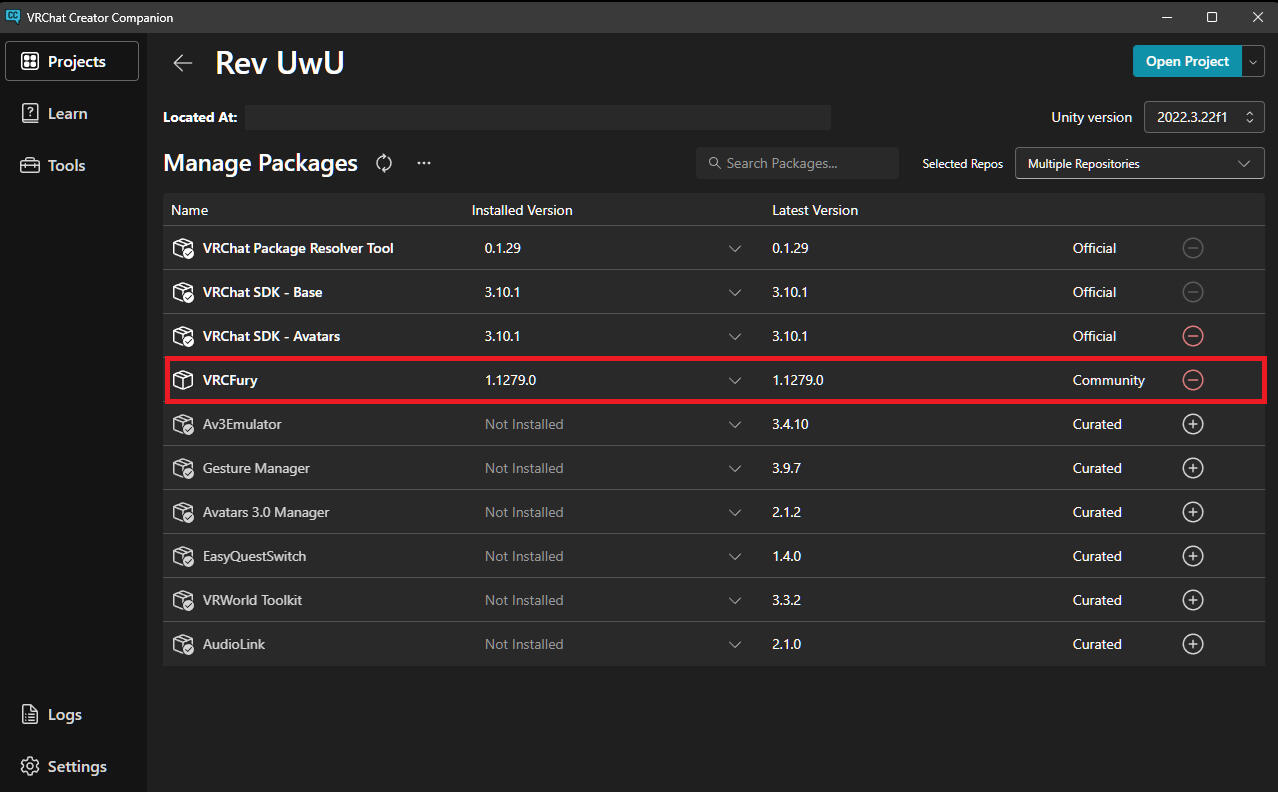
VRCFury installed to the VRChat Creator Companion
The provided .unitypackage base file
If you don't have the VRChat Creator Companion (VCC), you can get it from this link here:
Follow the on-screen instructions until you have the recommended Unity version installed and you have a personal Unity account.
Next step is to create a new project!
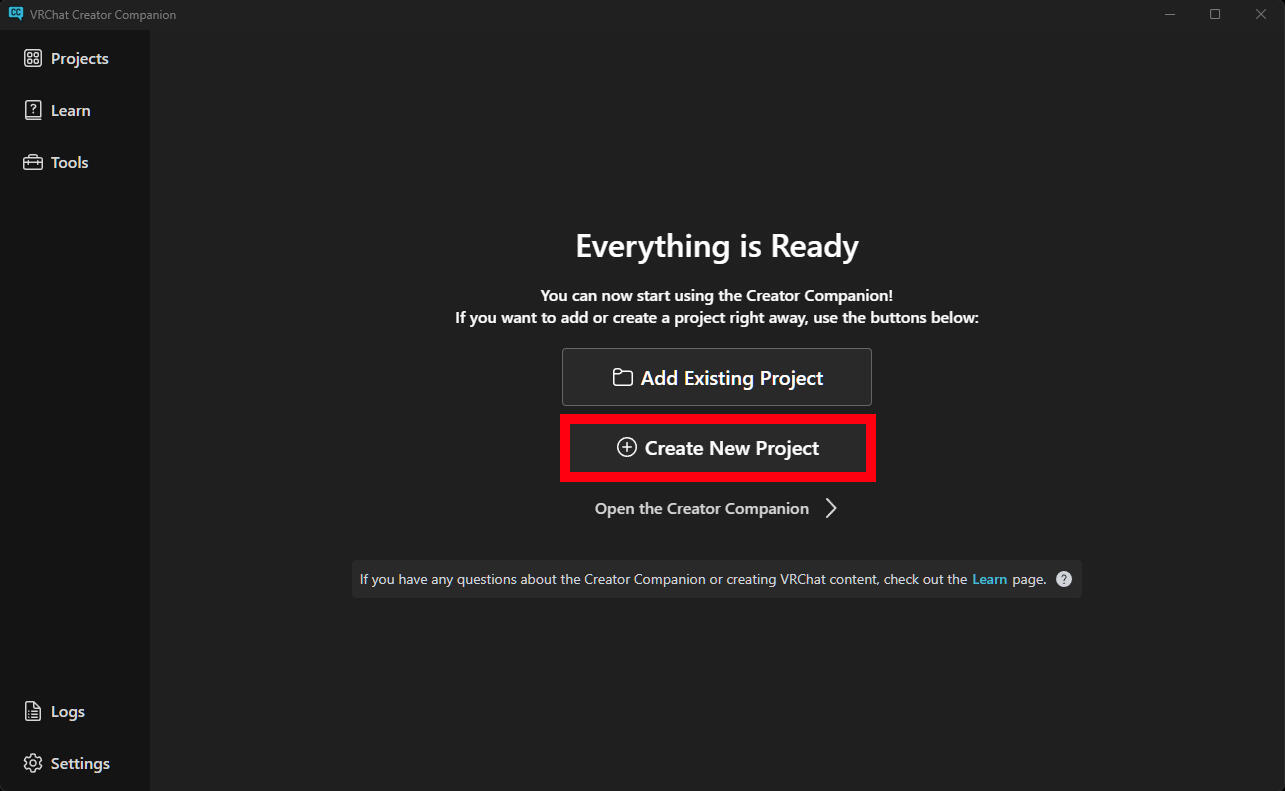
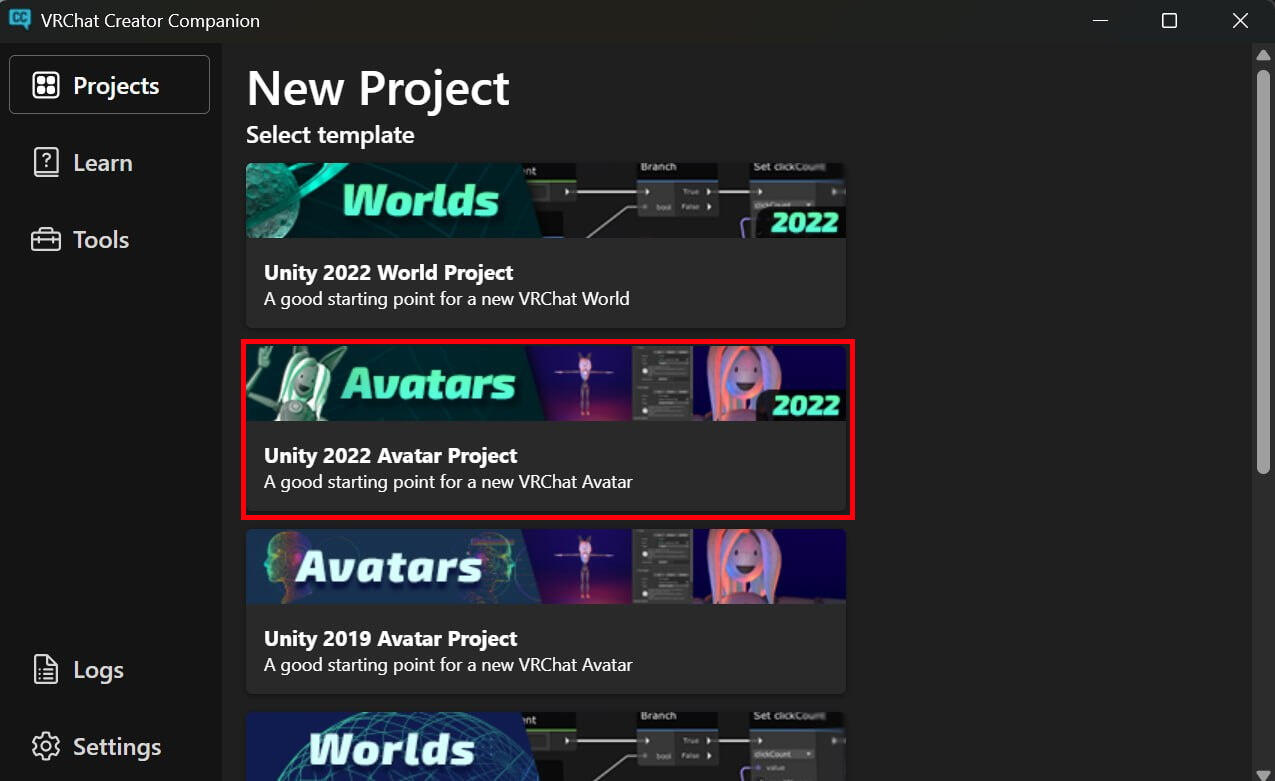
Finally, create your project as a "Unity 2022 Avatar Project"
Before we get into Unity, we need to make sure that VRCFury is installed to the Project.
You can download and follow its installation instructions here:
Once your new Unity project is open, you need to import the package containing the base and everything it needs into it.
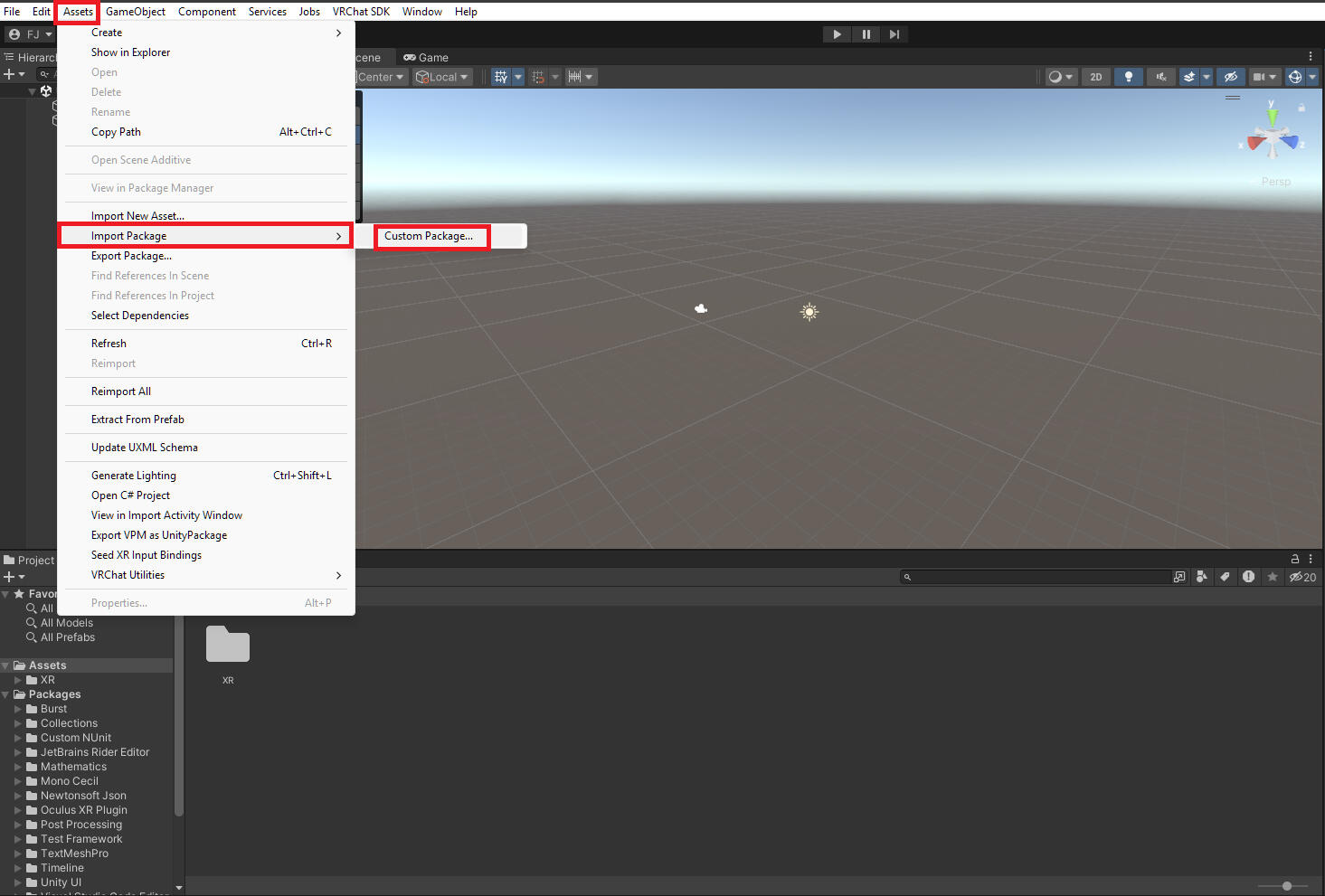
Make sure you import everything in the package. It should take a few minutes.
Then, open the scene containing the avatar by double clicking it.
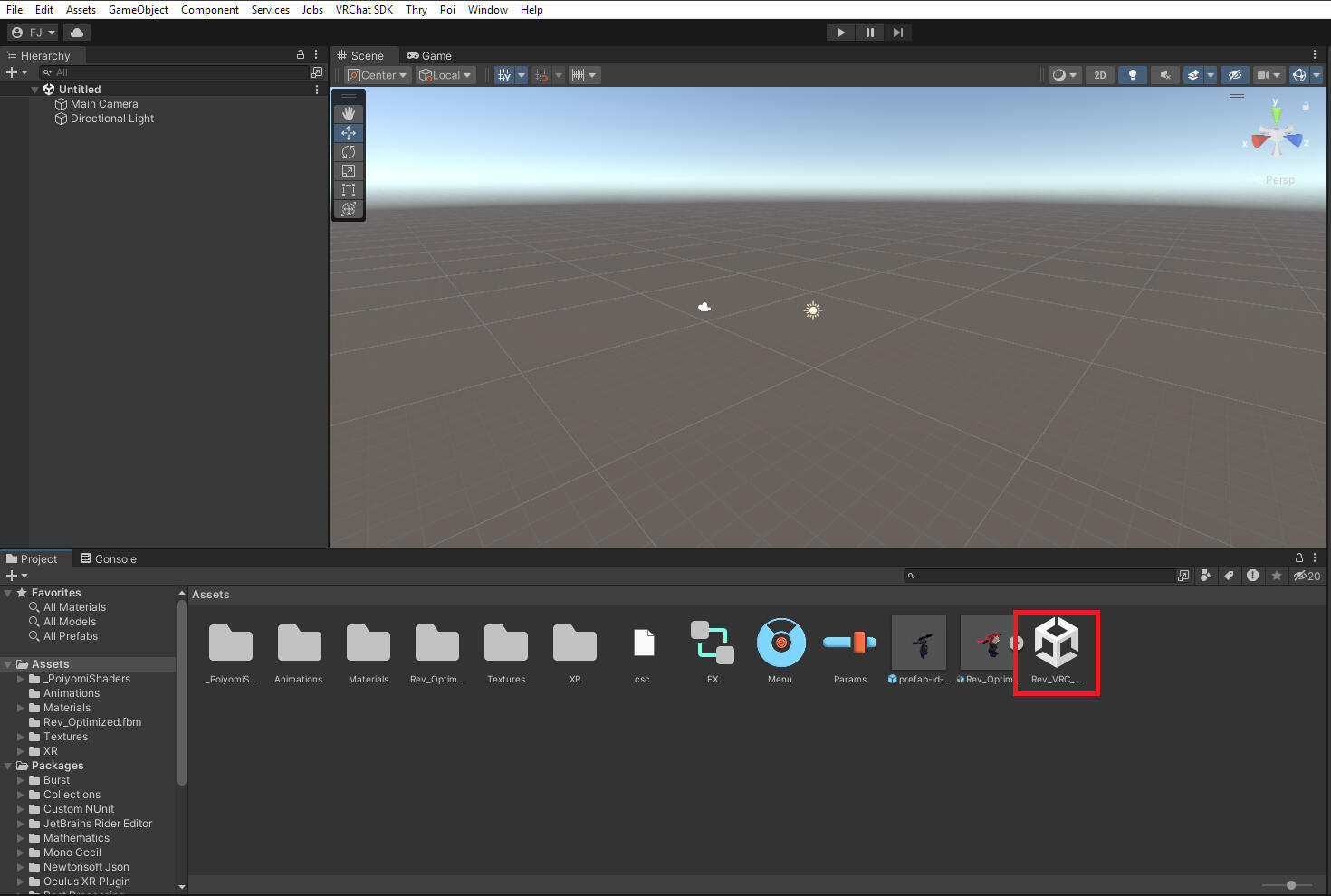
And there it is! You now have a project setup for your avatar, all you need is to do your own tweaks to it and publish it to VRChat!
To publish the avatar, you can follow along with the official VRChat avatar creation documentation from step 6 and onwards.
Everything before that point has already been covered by the base and this guide.
To change the proportions of the base, you simply need to apply some of the blendshapes that comes with the model.
You first need to select Rev's body from the hierarchy tab
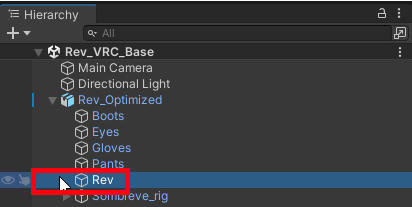
Then look at the inspector tab, you should see a "Blendshape" section containing a tab you can click on.
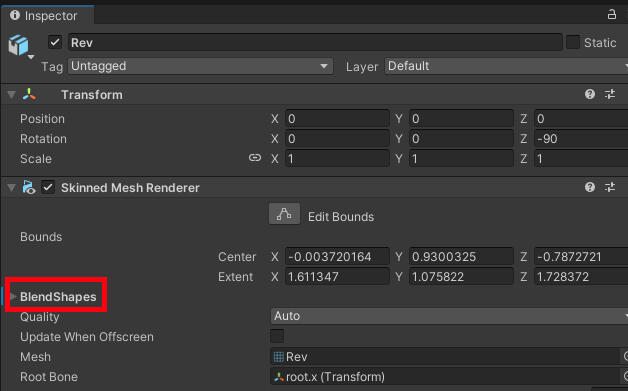
It will expand into a big list of values!Scroll down until you see the section labelled "YOUR OWN VALUES HERE".
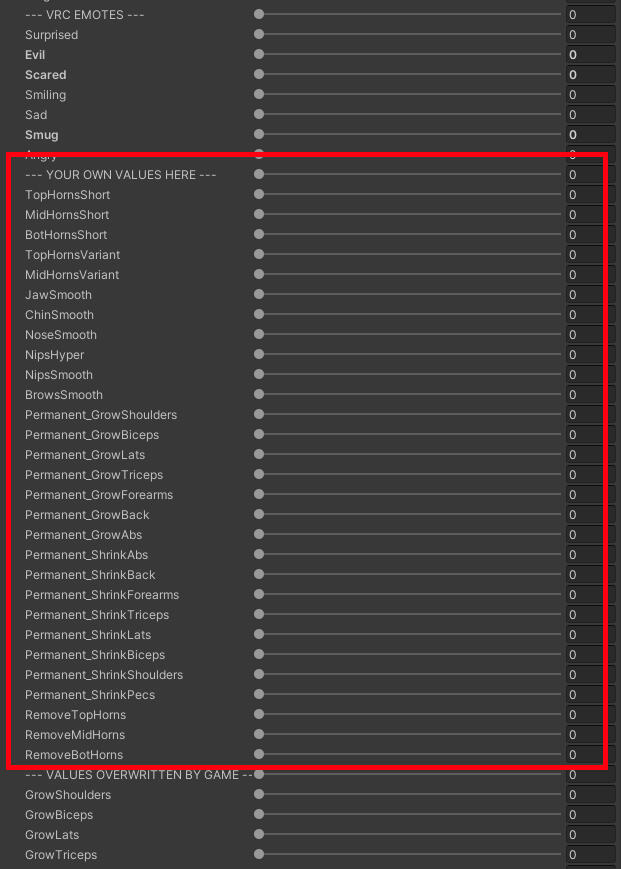
You can set those to whatever values you want, and see your changes directly in the viewport as you set them.Have fun!